Once a publisher approves your request and your campaign is confirmed, you’ll see a set of status indicators in your dashboard. These help you track where your campaign is in the process and what actions, if any, are required from you.
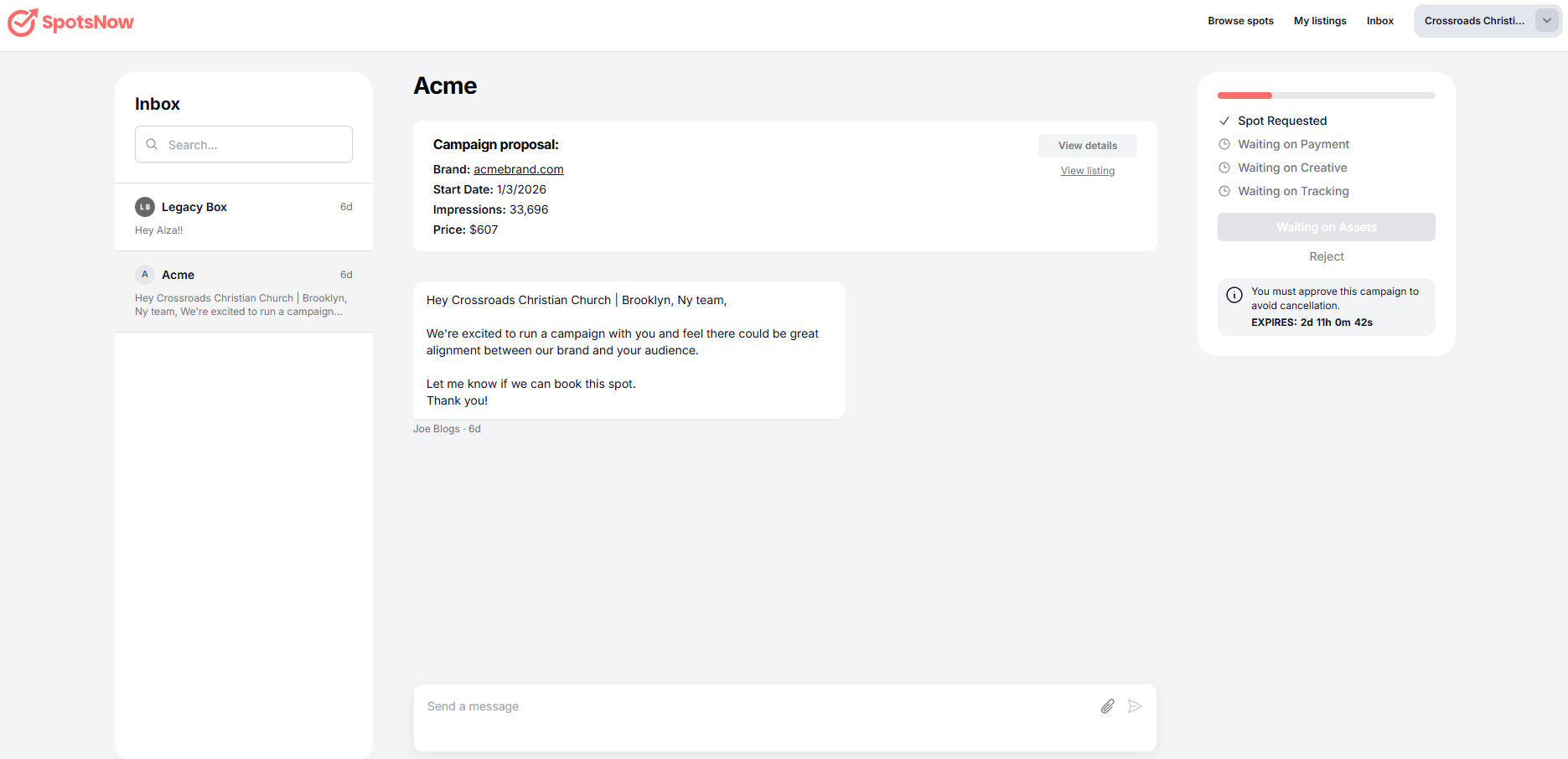
→ Spot Requested
Your request has been sent to the publisher and is awaiting approval.
→ Payment Authorized
Payment is secured to reserve the spot but is not finalized until the ad is delivered.
→ View Creative
Creative has been submitted or is available for review by the publisher.
→ View Tracking
Tracking details or reporting access is available once delivery begins.
The campaign start date indicates when your ad is scheduled to begin running. Approval confirms the placement, but the ad will only go live on or after this date. You can view full campaign details and the associated contract from your campaign page.
Not necessarily. A confirmed campaign means your spot has been approved and scheduled, but it will only go live on or after the listed campaign start date. You can always check the start date in your campaign details.
Payment is authorized when your campaign is confirmed and finalized once the ad is delivered, based on the agreed terms. This helps secure the placement while protecting both buyers and publishers.
If you need to update or change creative, contact the publisher as soon as possible and before the creative deadline. Changes may not be possible after the deadline or once the ad has been recorded or scheduled.