When you create a Spotsnow account, you’ll be asked to select an account type. This helps Spotsnow tailor the experience based on whether you’re buying ads or listing inventory.
Account setup only takes a few minutes, and you can update your details later if needed.
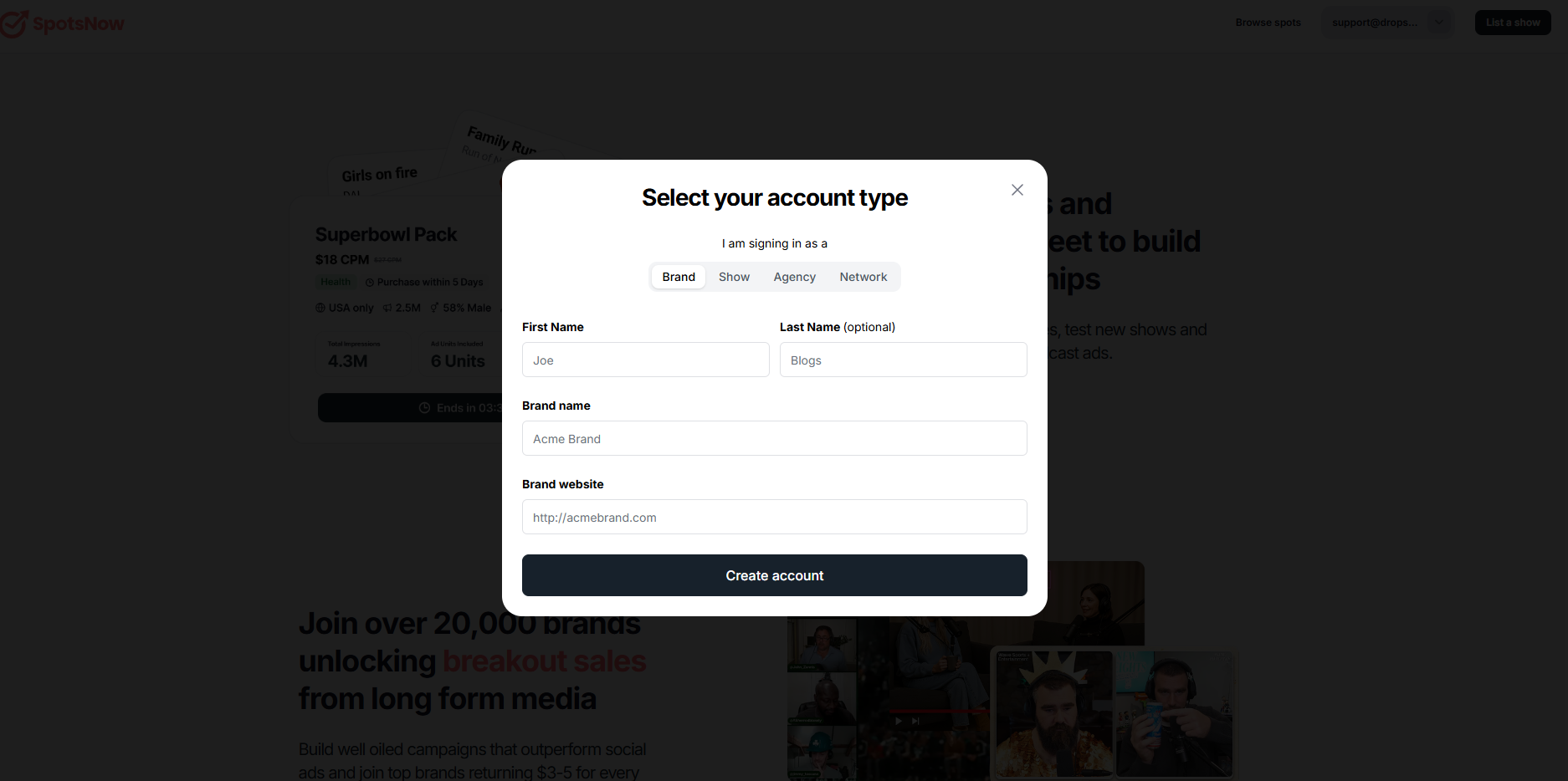
At the top of the screen, choose the option that best describes you:
Brand – if you’re advertising for your own company
Agency – if you manage ads for multiple clients
Show – if you represent a single podcast or creator
Network – if you manage multiple shows or a publishing group
Your selection determines which questions you’ll be asked next.
After selecting an account type, you’ll be asked for a few basic details to identify who is creating the account.
This includes:
First name
Last name (optional)
Next, you’ll be asked to provide information based on the account type you selected.
Each role has its own required fields:
Brand
Brand name
Brand website
Agency
Agency name
Agency website
Show
Show name
Network
Network name
Network website
Only the fields relevant to your selected role will appear. This helps ensure the right information is shared and keeps setup quick.
Once all required fields are filled out, click Create account.
Your account will be created immediately, and you’ll be able to start exploring Spotsnow based on your role.
After creating your account, you can immediately explore the platform based on your role.
Brands & agencies can browse available spots, review listings, and submit booking requests.
Shows & networks can begin listing inventory or preparing listings to go live.
Before certain actions are enabled, you may be asked to verify your account. This helps keep the marketplace trusted and ensures high-quality matches between buyers and publishers.
Verification helps protect both buyers and publishers by ensuring listings and booking requests come from legitimate brands and shows.
Yes. A short call is required to fully activate your account and unlock booking or listing features. This helps us verify your details, answer questions, and ensure you’re set up correctly from the start.
Yes. You can browse spots or prepare listings while verification is in progress.